"If you can't explain it simply, you don't understand it well enough."
-Albert Einstein
It started out innocently: every year needed its own tab, then every month, then every day. Before you knew it, finding "that one tab" turned into Legends of The Hidden Temple with Kirk Fogg yelling directions at you as you feverishly click about. I understand we are in the age of big data, but by and large, that is the exception and not the rule. From managing the household budget to your kickball team schedule - 99% of what you need to accomplish in Excel can be completed following a simple framework. It's controversial even saying this, but I don't believe any Excel workbook should contain more than 3 tabs.
Data
Visualization
Calculation
Download Workbook
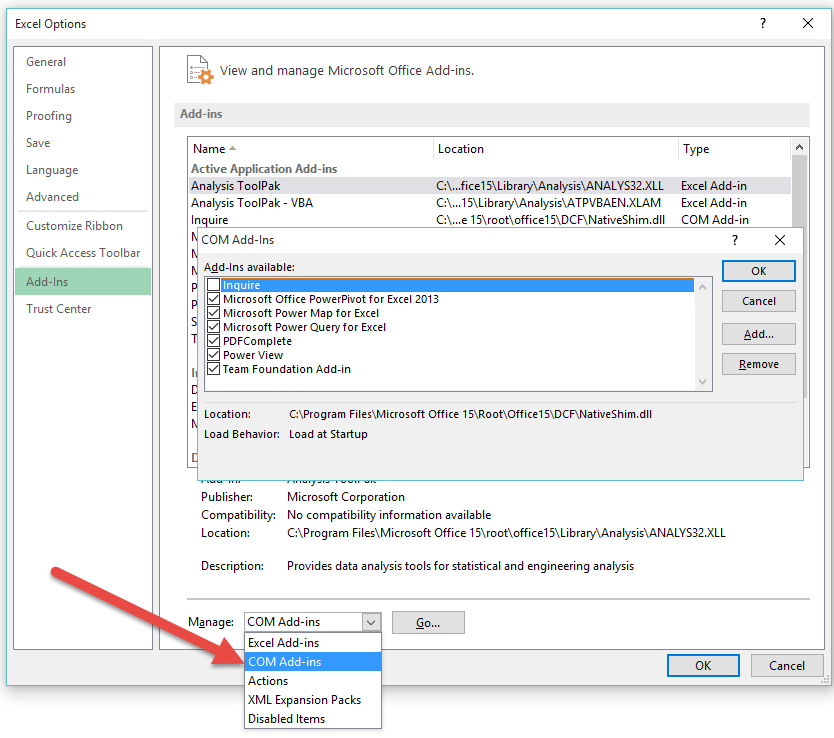
Enable the Inquire Tab (Office Professional Plus 2013, Office 365 ProPlus, Excel 2013)
- File
- Options
- Add-Ins
- Manage:
- COM Add-ins
- Press Go...
In a Relationship
As you can see in the Inquire tab, auditing functions now go to 11. Well, why not just use the existing Trace Precedents or Trace Dependents? These go to 11.
- Go to the Inquire Tab
- Select cell F3 in the Budget tab and press Cell Relationship
- Press OK to accept the default options
The picture below shows the starting cell and its interconnectivity with different cells and ranges across multiple worksheets.
- The cells (January!B24, February!B24 & March!B24) are all precedents of F3.
- If we go one layer deeper we can see that the previous ranges are all precedents to the ranges (January!B2:B23, February!B2:B23 & March!B2:B23).
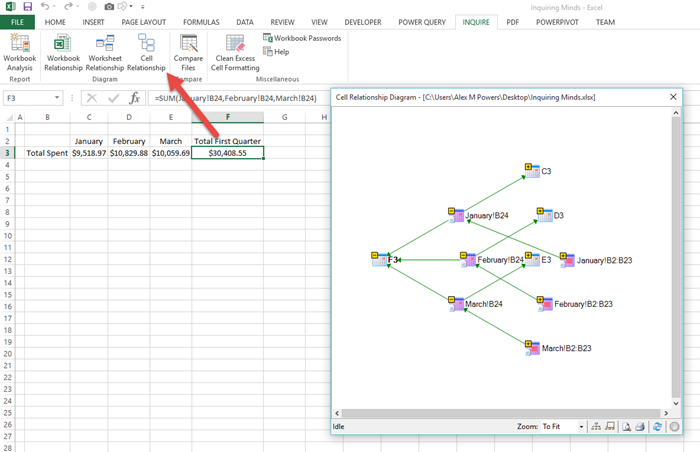
This is an incredibly powerful feature for reviewing the downstream impacts of change and getting a true glimpse of your work's composition.
Now that we know our cell's value comes from 3 separate tabs, let's get down to business and create one data table.
Single
- Go to the Data worksheet and select a blank cell (A1)
- Go to the Data tab and select Consolidate
- Within Reference: select your cell range and press Add
- Ensure that you highlight headers and values
- Repeat for all similar ranges within the different worksheets
- You will notice ranges are added to All references:, you can remove by pressing Delete
- Select Top Row & Left Column from the Use labels in section
- Press OK when complete
Pro Tip:
- You will notice that all the information has been combined and summed where duplicate left column (Date) values exist.
- The top row header is missing from the initial cell you used to create the table, you can easily retype this field category as a workaround.
- Now that you're back in your datas good graces, create your table object and get back to taking advantage of table references in rebuilding your formulas.
It's Complicated
More interesting things that the Inquire add-in now empowers you to do:
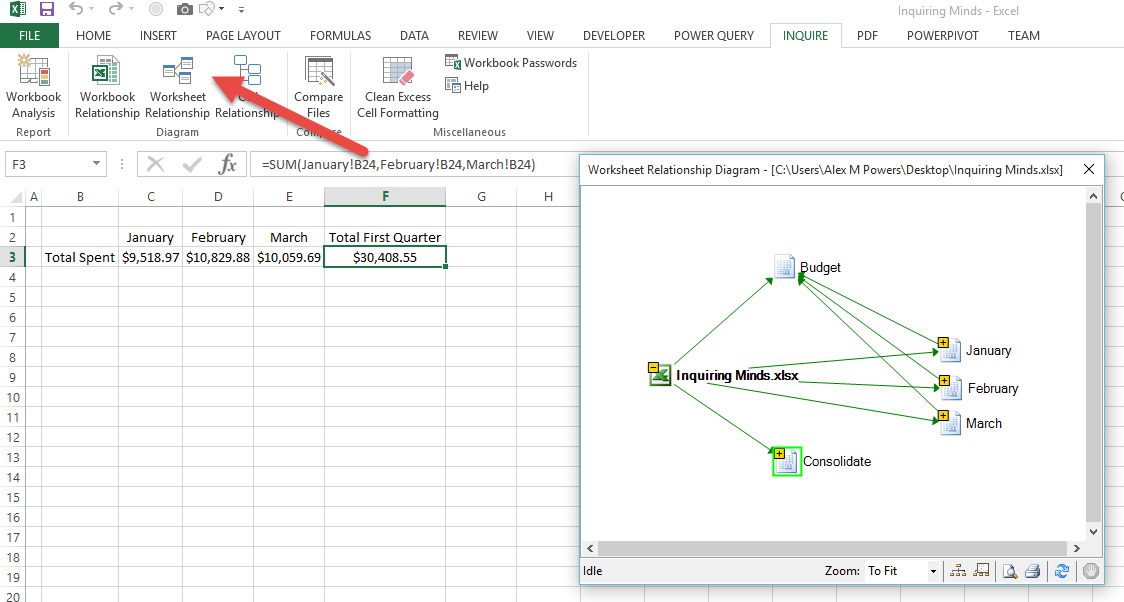
- Show the starting worksheet and how it connects with other worksheets
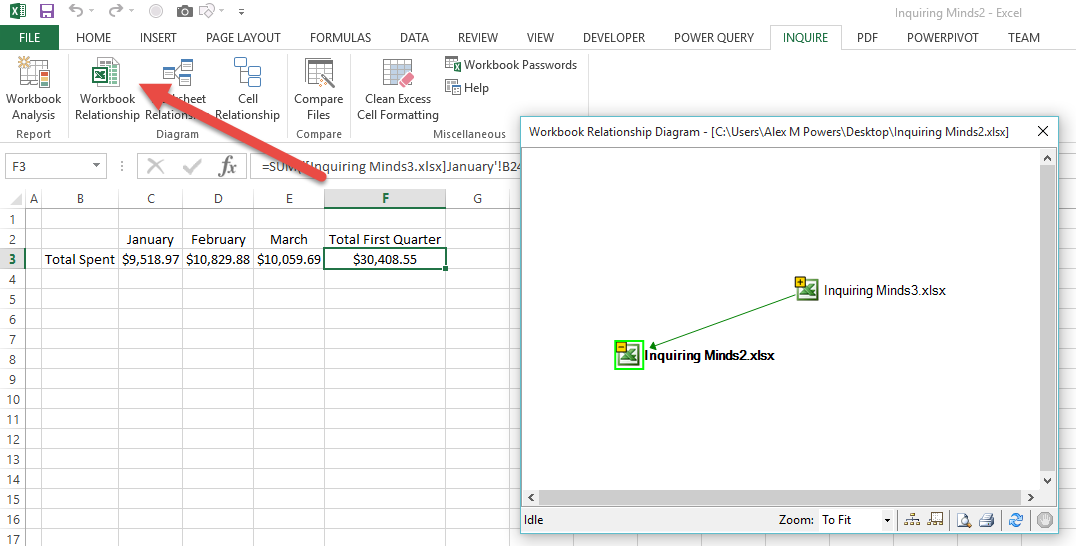
- Show the starting workbook and how it connects with external workbooks
- Clear cells of excessive formatting to reduce overall file size
Excel is only getting better with each version that is released. The Microsoft team is working tirelessly - both listening to and participating in the conversation to help the community work smarter. No matter where you started and where you are currently at, the ability to undo past transgressions is the greatest opportunity for assessing your skill level. It's questions like, "What in the world was I thinking?!" that allow us to take a step back and realize how far we've come. And ultimately - how far we want to go.